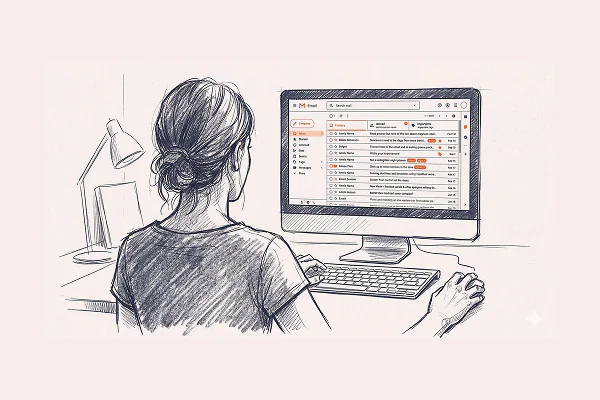
Nadia has two custom styles saved in AudioPen. One is "casual email." The other is "business memo." She picks which one after she's done talking, not before. Because the email she thought was going to be a quick reply sometimes turns out to be a five-paragraph explanation of a financial restructuring. She doesn't know which kind of email it is until she hears herself say it.
That's the thing nobody tells you about drafting emails by voice: it doesn't just save time. It changes what you say.
The Real Bottleneck Isn't Your Typing Speed
Here's what actually happens when most people write an important email. They type a sentence. Read it back. Delete four words. Retype them. Second-guess the tone. Nine minutes later, they've produced three paragraphs that sound like a LinkedIn post nobody asked for.
The bottleneck isn't the keyboard. It's the editing loop. Every sentence gets scrutinized before the next one exists, so your full thought never comes out. You're polishing fragments.
Speaking bypasses this. You can't backspace spoken words. So you say the whole thing, messy and all over the place, and the full shape of your thinking emerges. Then you clean it up. That's a fundamentally different order of operations, and it produces better emails. Not just faster. Better. Because the version of you who rambles for two minutes hits the real reason around the ninety-second mark. That reason would never have survived the typing-and-deleting loop.
The Vomit Draft
Peter, who ran a company and sat on multiple boards, called his spoken drafts "verbal vomit." Disgusting. Also perfectly accurate.
His method: open AudioPen, list the three or four points he needed to cover, then just talk through them. No outline. AudioPen gave him back a clean, organized version. He'd paste it into his email client and tweak from there.
He wasn't dictating. Dictation is performance. Peter was thinking out loud, and AudioPen was catching the output. He used this especially for emails where tone mattered. Paradoxically, talking produced a more careful email than typing, because he could hear whether something landed as he said it.
Your Voice, Your Style

Here's where it gets interesting. AudioPen is a voice-to-structured-text tool, not a voice-to-email tool. Email is one use case. Notes, memos, journal entries, meeting recaps, blog drafts, all of it works the same way. You talk, it structures.
But the part that makes the biggest difference for email is custom styles. You can create your own output style inside AudioPen, trained on how you actually write at your best. Every email you draft by voice comes out sounding like your best emails, the ones you spent twenty minutes carefully composing on a good day. Except now it takes two minutes.
This is what Nadia figured out. She saved her two styles because each one captured a specific version of her voice. The casual one sounds like her. The business one sounds like her. Not like a template. Not like AI. Like Nadia on a good writing day, every time.
Why the Mess Is the Point
The obvious objection: "If I just ramble into a microphone, won't my email be incoherent?"
Yes. Your recording will be incoherent. That's raw material, not the finished product.
You say "okay so the thing is, we really need to push the deadline because, well actually there are two reasons..." and AudioPen turns it into a clean two-paragraph email with numbered points and a professional sign-off. You said all of it. You just said it wrapped in filler with three false starts. AudioPen unwrapped it.
Transcription gives you every "um" and false start. Useless. Heavy AI rewriting gives you something that sounds like a robot. Also useless. AudioPen sits in the sweet spot: fix the grammar, remove the filler, keep your voice, write in a style of your choice.
The Part That Actually Matters
There's a pattern in how people describe this workflow that goes deeper than productivity.
Henrik, a linguistics professor with ADHD, said it gave him "greater autonomy and peace of mind." Writing emails used to be the most stressful part of his job, not because he didn't know what to say, but because the act of typing drained him. He'd procrastinate on important replies for days. Now he talks them into AudioPen and they're done in minutes.
Robert, a retired pastor in his seventies, writes regularly to a young man who is incarcerated. The replies he used to type were exhausting and never matched the depth of the letters he received. Now he dictates his responses into AudioPen paragraph by paragraph. The replies are longer, warmer, and more him.
None of these people use AudioPen because it's faster. They use it because it makes them capable of communication they were avoiding. Typing was the thing standing in the way.
How to Start

Pick one email you've been putting off. Open AudioPen. Talk for two minutes about what you want to say. Don't perform. Just explain it like you'd tell a friend.
Read the output. Paste it into Gmail or Outlook. Edit for thirty seconds. Hit send.
You just wrote the email you've been avoiding for 48 hours in under three minutes. Do this three times and you won't go back. Not because it's better technology, but because you'll realize you were never bad at writing emails. You were bad at typing them.
Names have been changed to protect privacy.