








1. Press the microphone
The first time, your browser asks to use the microphone. Choose Allow. Check the language next to it before you start.
Free to start. No credit card needed.
All downloads
4.9 on Product Hunt · Loved by 200,000+ people
Already have an account? Sign in
Press the microphone and talk. Your words show up as text while you speak, ready to edit, copy or download. It's free, you don't need an account, and it works in Google Chrome and Safari. You get a raw transcript. Want it written well? AudioPen turns the same words into a clear note.
Your browser turns your speech into text. The text stays in this tab unless you ask for a note.
The AudioPen app
Record a thought on a walk or in the car. AudioPen turns it into a clear note, email or summary in your style. Free to start on iPhone and Android.
Download AudioPen Scan with your phone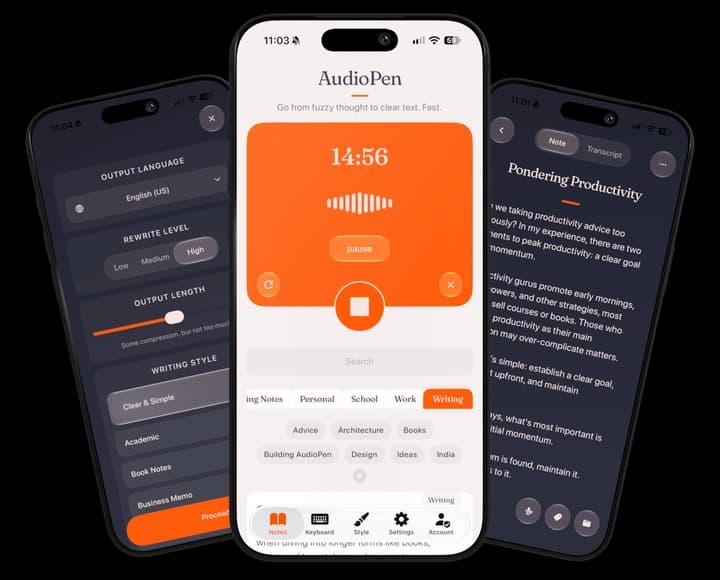
How to use it
What you get
The text is a raw transcript of what your browser heard. Expect little punctuation, no paragraphs and the odd misheard word, especially names. Missing a comma? Type it in where it goes.
That's fine for a note to yourself, a quick message, or a first draft you were going to rewrite anyway. In an email to someone else, it reads badly. The dictation on your phone or laptop works the same way: you get every false start and the sentence you began twice. When you stop, press Write my note to see the same words the way AudioPen writes them.
For cleaner text: talk close to the microphone in a quiet room, one voice at a time, and pause between sentences.
How it works
This tool uses the speech recognition built into your browser, called the Web Speech API. It works in Google Chrome and Safari. Firefox doesn't offer it. Arc, Dia, Brave and some other browsers built on Chrome have it but no speech service behind it, so no text comes back. In those, the page says so and points you to the free voice recorder, which records in any browser and can turn the recording into text after. Browser support per MDN and Can I Use, as of October 16, 2026.
Here's the part that matters for privacy. Your browser decides where your voice goes, not this page. In Chrome, your audio is sent to Google's speech service to be turned into text, so it needs an internet connection, as MDN's guide to speech recognition explains. Safari uses Apple's speech recognition.
Where your voice goes
Rewrite level
Here's what dictation hands back when you talk through a meeting, and what AudioPen makes of the same words. Pick a style and how much it rewrites.
Rewrite level
Retains structure where possible, rewritten in your chosen style
Output length
Some compression, but not too much.
Writing style
Ask AudioPen to write like your favorite author. Or give it a sample of your own writing, and it will match your voice. If you can describe a style, AudioPen can write in it.
After today's meeting, I think we should push the launch back a week. The landing page still needs pricing copy, and QA found a couple of bugs in onboarding. Maya can draft the copy by Thursday. Let's prioritize the signup-blocking bugs and leave the rest for a post-launch patch. Someone should send the updated timeline to the team.
Free to start, on every device.
Go further
This page works in one browser tab, and then you copy and paste. AudioPen's voice typing skips the paste: it works where you already write, in Gmail, Slack, Google Docs or any text field, and can rewrite your words in the style you choose before they land.
Questions
Straight answers to the questions people ask before they start.