



Apple Dictation alternatives
Apple Dictation alternatives for long emails
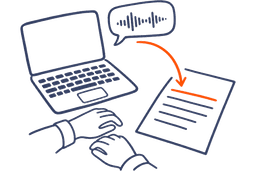
You're halfway through a long email to a client, talking it out on your Mac, and the draft on screen has every restart and repeat in it. Apple's fix comes after you stop: you select the text and run Writing Tools on it. The better fix is an app that writes the email while you're still talking.
Free to start. Loved by over 200,000 people.
The built-in way
Can Apple Dictation rewrite what you say?
Not by itself. Dictation types what you say in any app where you can type, for as long as you keep talking, and stops after 30 seconds of silence. On macOS 27 and iOS 27, an on-device model also tidies spelling, punctuation and capitals in English. That needs a Mac with M3 or later and 12 GB of memory, or an iPhone 17 Pro, iPhone Air or later. It fixes how your words are written. The sentences stay the ones you said.
The rewrite is a separate tool, Writing Tools. Select the text, open Writing Tools, and choose Proofread, Rewrite in a Friendly, Professional or Concise tone, or Summarize. It needs Apple Intelligence: a Mac or iPad with M1 or later, or an iPhone 15 Pro or later, and it isn’t offered in every language or region. So the built-in way to a long email is talk, select, rewrite, every time. For setup and shortcuts, see how to use Dictation on a Mac.
Apple Dictation, then Writing Tools
AudioPen
Side by side
The best alternatives to built-in Mac dictation for long emails
Apple Dictation and seven apps, compared on the two things that matter for a long email: when the rewrite happens, and whether it sounds like you.
| App | When the rewrite happens | Tones or styles you pick | On iPhone | Transcribes offline | Price to rewrite past the free limits (one person, per year) |
|---|---|---|---|---|---|
| AudioPen | While you talk, before the text lands at your cursor | Built-in styles and ones you write yourself, on the free plan | Yes, the AudioPen keyboard types into any app (iOS 17.4 or later), iPad too | Yes, a setting you turn on in the Mac, Windows, iPhone and Android apps | Prime, $99 for a year on the web |
| Apple DictationWith Writing Tools | After: you select the text, then open Writing Tools | Friendly, Professional or Concise. On iPhone you can also describe the change | Dictation, yes. Writing Tools needs an iPhone 15 Pro or later | On iPhone, yes, in many languages. On a Mac, check Dictation in Keyboard settings | Built in, no cost |
| Wispr Flow | While you talk: removes filler words and formats your text | Styles set the tone by app, in English, on a computer | Yes | No, it needs the internet | $144 (Pro, billed yearly) |
| SuperWhisper | While you talk, in its AI modes, which are Pro. Free modes type your words as said | Modes such as Message and Mail, plus your own | Yes, an iPhone app | Yes, with its local models | $84.99 (Pro), or $249.99 for a lifetime licence |
| FluidVoice | While you talk: takes out fillers and false starts, on your device | A style per app, like casual for chat and formal for email | In beta | Yes | Free and open source |
| VoiceInk | While you talk, with an AI provider you connect or a model on your Mac | Custom modes | A separate iOS app | Yes, on your Mac | $25 once (one Mac) |
| Spokenly | While you talk, with Pro or an AI key you bring. Free dictation types your words | AI cleanup on Pro, or with a key you bring | Yes, a keyboard for any app | Yes, with its local models | $144 (Pro, billed yearly) |
| Aqua Voice | While you talk: corrects grammar and refines your text | Custom Instructions on Pro | Yes | No, it transcribes in the cloud | $120 (Pro, billed yearly) |
“Transcribes offline” means speech becomes text with no internet. Prices are for one person buying on each company’s website, as of November 2026. Buy AudioPen Prime in the iPhone or Android app and you pay the app store’s price.
First year’s cost to rewrite past the free limits, one person, US dollars
AudioPen
Dictate emails in your personal style
On a Mac, double-tap the hotkey in Gmail, talk the email through, and tap again. What lands at your cursor is already written, in a built-in style or one you made yourself. Louis, who makes AudioPen, keeps one for exactly this: "I have a custom email style that captures my own voice, so every email sounds like me on a good writing day."
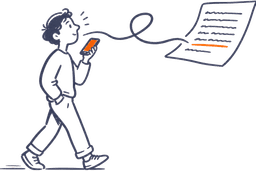
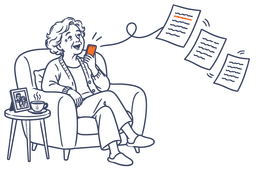
Talk the way you think. Start mid-thought, circle back, change your mind halfway through. AudioPen types your exact words when you want them, or writes it up in a style you pick, right at your cursor.
It’s the same in Outlook or Slack, on your Mac or a Windows PC. Start from one of the styles or make your own, and read more on voice typing in Gmail.
“hi Tom, so, thanks for the notes on the logo, um, the darker blue is no problem, the second font I'm less sure about, it gets hard to read small, like on the app icon, so maybe we test both at that size first, and I'll send you the two versions by Thursday, actually no, Friday, oh and the invoice for the first round is attached”
Hi Tom, Thanks for the notes on the logo. The darker blue is no problem. I'm less sure about the second font: it gets hard to read at small sizes, like on the app icon, so I'd like to test both at that size first. I'll send you the two versions by Friday. The invoice for the first round is attached.
Works in any app, on every device: a hotkey on Mac and Windows, the AudioPen keyboard on iPhone and iPad, and a floating bubble on Android.
On your phone
Apple Dictation alternatives for iPhone
On iPhone, Dictation is the microphone on Apple’s keyboard, and the rewrite is the same second step: select the text, then open Writing Tools. Switch to the AudioPen keyboard in Mail, Gmail or WhatsApp instead, talk, and your words arrive written in the style you pick. With Prime you can also select text you’ve already typed and have the keyboard rewrite it. AudioPen for iPhone
Privacy
Is Apple Dictation on-device and private?
On iPhone, Dictation runs on the phone in many languages, with no internet needed. On a Mac, the text under Dictation in Keyboard settings tells you whether it runs on your Mac. When it doesn’t, your speech goes to Apple’s servers.
In AudioPen’s apps for Mac, Windows, iPhone and Android, offline transcription is a setting. Turn it on and your audio stays on the device. Voice typing audio is never saved, even when it’s transcribed in the cloud. The rewrite sends text to the cloud and nothing is kept.
The rest of the field
Wispr Flow vs SuperWhisper vs MacWhisper vs Aqua Voice for Mac dictation
What each one does with a rambling email, and how far its free plan goes before you pay. For the full lists, see Wispr Flow alternatives and SuperWhisper alternatives.
Wispr Flow
What it does to your words: takes out the ums and pauses as it types, and its Styles shape the tone by where you're writing: formal in docs, casual in messages.
What it takes: 2,000 free words a week on a Mac or PC, with a hard cap at 5,000. After that, Pro.
SuperWhisper
What it does to your words: on the free plan, types what you said with local models, as much as you like, and nothing leaves your Mac.
What it takes: Pro, for Mail and the other modes that rewrite.
MacWhisper
What it does to your words: turns recordings and audio files into text on your Mac, with Whisper models.
What it takes: macOS 14 or later, and about €65 once for Pro. It transcribes files, so it doesn't replace Dictation in your email.
Aqua Voice
What it does to your words: Edit Mode rewrites text you've selected when you say what to change.
What it takes: 2,000 free words in total, not each week. After that, Pro.
VoiceInk and Spokenly
What it does to your words: VoiceInk takes out filler words and repetition on your Mac. Spokenly's free dictation types your words as said, with no limit, and cleans them up on Pro or with an AI key you bring.
What it takes: a free trial, then $25 for VoiceInk on one Mac. Spokenly's free plan works offline. The AI provider bills you for that key separately.
FluidVoice and Handy
What it does to your words: FluidVoice takes out the ums, the false starts and the “no, wait” on your Mac. Handy types what you said and puts it in the text box.
What it takes: nothing. Both are free and open source, and both work offline. FluidVoice needs macOS 15 or later.
Where AudioPen works
One account, every device.
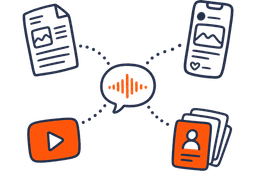
Voice type into any app on Mac and Windows, use the AudioPen keyboard on iPhone and iPad, tap the floating bubble on Android, or open your notes in the web app.
- Web appAny browser
- MacVoice type in any app
- WindowsVoice type in any app
- iPhoneApp and voice keyboard
- iPadApp and voice keyboard
- Apple WatchRecord from your wrist
- AndroidApp and floating bubble
- ChromeBrowser extension
One Prime account covers all of them. Your notes sync across every device, so whatever you capture on one is waiting on the next.
This is by far the greatest and most useful tool I have ever had! I have severe ADHD and it’s able to translate my rambling into a well written and concise note. I feel more organized and less anxious!
I love it. Once AudioPen knows my style, everything I write sounds like me, but better.
I used to manually summarize my transcribed brainstorming sessions. Took hours. AudioPen automates everything to the point where I am almost done with my article after talking about a topic for 10min. Magic.
I use AudioPen mainly as a way of clearing my mind.
I am a natural speaker. My ideas flow faster when I speak. I record my voice notes and with my accent, it is perfect all the time.
Testimonials
Loved by people who think out loud
Read what real users have to say about AudioPen.
No product has fundamentally changed the way I work over the last 12 months more than Audiopen. Home Screen on iPhone.
I can now create 95% of my blog posts and have minimal editing. In my tone of voice. This saves so much time
I’ve been using AudioPen to talk through my ideas, have them summarized and then use the summarization as a draft for blog posts. 13 out of 10. Highly recommend for the “blank page” problem.
This is probably the best product I’ve come across in the past 18 months. So useful and it just keeps getting better.
Simple, but effective. The best tool to convert rambling into structured text, while keeping what you rambled intact.
I freakin love AudioPen.ai. If you are not using it yet, get on it.
Most helpful AI tool = audiopen. Been using it daily to do things like: turn voicenotes into action items, content ideas (magic for this), summarize calls, giving feedback. The UI is also so clean that it’s an absolute joy to use.
You speak to it as thoughts come in. It stitches a fine narrative from the rant. Writers can edit a ‘wrong’ page, not a ‘blank’ page. AudioPen gets you to 90% and then you do the rest.
OH MY GOSH. I just learned about AudioPen today, and it’s already a GAME CHANGER. If you write, create, or do any serious thinking, this tool is for you.
This is one tool that has dramatically changed the way I think. It has allowed me to get the thoughts out of my head and down on paper.
I can’t say enough good things about the AudioPen app. It’s been my go-to app for getting ideas down without having to type. Not only does it arrange even the most inarticulate nonsense into readable sentences, it’s the best dictation app I’ve ever used.
I’ve been writing online for over 10 years and tried virtually every writing app, productivity, note-taking, and idea-capture system out there. Nothing comes close to the amount of time AudioPen saves me.
Best buy in 2023: AudioPen from @louispereira. Hats off.
Switched from Superwhisper to Audiopen Mac App within 20 minutes of using the Mac App.
Tried it out, and paid for the prime version because it is SO good and simple to use. The product has made it so much easier to track my various thoughts throughout my day.
AudioPen is able to clear my spoken thoughts into text in Estonian, one of the most complicated languages in the world! Shut Up And Take My Money!
Already not sure what I did before I had AudioPen. If you often have thoughts you want to capture in writing, check it out. Cost is super reasonable too.