








1. Choose your file
Drop it on the orange card or press Choose a file. MP3, M4A, WAV, OGG, WebM, MP4 and FLAC all work, up to 60 minutes and 100 MB.
Free to start. No credit card needed.
All downloads
4.9 on Product Hunt · Loved by 200,000+ people
Already have an account? Sign in
Upload an MP3, M4A, WAV or voice memo and get the transcript in seconds, with timestamps and subtitle files. No account needed.
Drop an audio file herePick an audio file
MP3, M4A, WAV, OGG, WebM, MP4 or FLAC
Up to 60 minutes and 100 MB
Your file is deleted as soon as the transcript is ready. Nothing is saved to an AudioPen account.
The AudioPen app
Record a thought on a walk or in the car. AudioPen turns it into a clear note, email or summary in your style. Free to start on iPhone and Android.
Download AudioPen Scan with your phone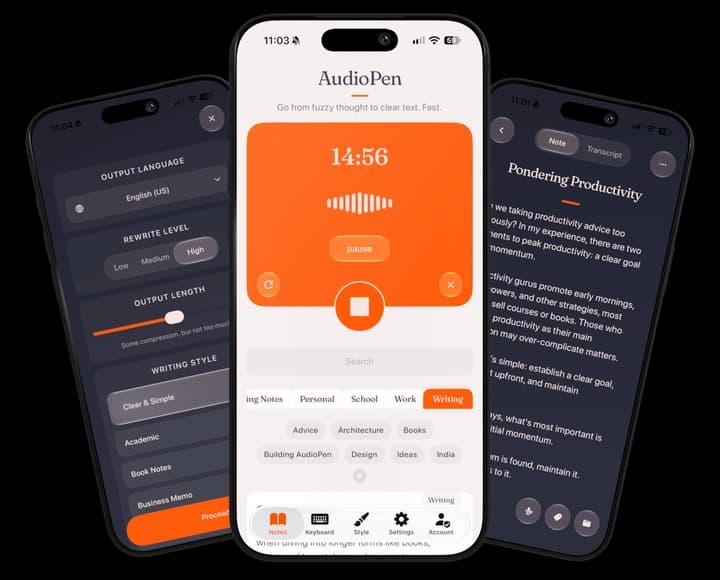
How to use it
What you get
The transcript is written in sentences, with punctuation, and split into paragraphs where the speaker pauses. Turn on timestamps to see when each line was said, which helps you find a moment in a long recording.
Subtitle files. The SRT and VTT downloads carry the same words with their timings, ready to add to a video in YouTube, Premiere Pro, CapCut and most other editors.
What it won't do. It doesn't label who is speaking, so a conversation comes back as one run of text. Names and rare words can come out wrong, and heavy background noise lowers accuracy. The transcript isn't saved anywhere, so copy or download it before you close the tab.
Files it reads
Where your file goes
When you choose a file, the page first checks its length and size in your browser, so a file that is too long is turned away before anything uploads.
The file then uploads to AudioPen's private storage, where only the transcription step can read it, through a link that expires after ten minutes. As soon as the transcript is ready, the file is deleted. If something goes wrong partway, anything left behind is cleared within the hour.
The transcript comes straight back to this page. AudioPen doesn't keep a copy of the file or the text, and nothing is saved to an account. There is a daily limit on free transcriptions, so the converter stays free for everyone.
Tips
Pick the language if you know it. Detection works for most files, but choosing helps with short clips and strong accents.
One clear voice works best. A speaker close to the microphone comes out cleanest. Music, wind and people talking over each other lower accuracy.
Over 60 minutes or 100 MB? Split the recording into parts, or save it as an MP3 at a lower quality. Speech doesn't need high quality to transcribe well.
Check names and numbers before you share the transcript. They are the words most likely to come out wrong.
Rewrite level
A transcript gives you every word as it was said. Here is what AudioPen makes of the same words. Pick a style and how much it rewrites.
Rewrite level
Retains structure where possible, rewritten in your chosen style
Output length
Some compression, but not too much.
Writing style
Ask AudioPen to write like your favorite author. Or give it a sample of your own writing, and it will match your voice. If you can describe a style, AudioPen can write in it.
After today's meeting, I think we should push the launch back a week. The landing page still needs pricing copy, and QA found a couple of bugs in onboarding. Maya can draft the copy by Thursday. Let's prioritize the signup-blocking bugs and leave the rest for a post-launch patch. Someone should send the updated timeline to the team.
Free to start, on every device.
Go further
Questions
Straight answers to the questions people ask before they start.