







Voicenotes vs AudioPen
Voicenotes saves the note. AudioPen writes the piece.
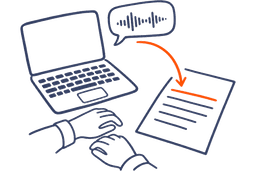
Both can turn a two-minute voice note into an email. Voicenotes saves your note with a transcript and summary, then makes the email from it as a separate step. AudioPen writes the email in the style you picked before you started talking, and can type it straight into Gmail or Slack.
Free to start. Loved by over 200,000 people.
The verdict
Which one should you use?
AudioPen is for the thinking you do out loud: on a walk, between calls, halfway through a draft. You talk, and when you stop, the email, post or to-do list is already written, in your style and in the language you pick. Typing was never the work. Thinking was.
Voicenotes has gone a different way. Its homepage calls it "The notetaker for your confidential meetings", and its plans read that way. The free plan has limited transcription, up to 30 minutes per meeting and a 14-day meeting history. Pro is $9 per user per month for up to 3 hours of transcription a day.
Paid month by month, a year of Voicenotes Pro comes to $108. A year of AudioPen Prime is $99 at web checkout, and you don't need it for styles: built-in and custom ones both work on the free plan.
Where the email comes from
AudioPen
- Pick a style, like Formal Email
- Talk for two minutes
- Stop, and the email is written, or typed into Gmail
Voicenotes
- Talk for two minutes
- The note saves with a transcript and summary
- Choose Create, then Email
What each one does
Two tools, different strengths.
What AudioPen does well
AudioPen is built for people who think better out loud than at a keyboard, and want writing they can send.
- Your style, chosen first: Built-in styles like Formal Email or Bullet Points, or styles you make yourself.
- Speak one language, write another: Talk in the language you think in, and get the note in the one you need.
- Voice typing that rewrites: On a Mac, double-tap the hotkey, talk, and your words land at the cursor rewritten in your style. Voice typing also works on Windows, iPhone, iPad and Android.
- Restyle it later: On Prime, rewrite a saved note in a different style when you need it for something else.
- Offline option: Turn on offline transcription in the iPhone, Android, Mac and Windows apps, and your audio stays on your device.

What Voicenotes does well
Voicenotes is built to remember your meetings and notes, and to answer questions about them later.
- Meetings without a bot: It records online and in-person meetings from your laptop, phone or watch, then gives you a summary, action items and next steps.
- Ask AI: Ask a question and it answers from your saved text and voice notes.
- Creations: Turn a saved note into a summary, to-do list, email, tweet or blog post. On Pro, adding a tag can make a creation run on its own.
- WhatsApp and integrations: Transcribe recordings from WhatsApp, and connect Notion, Obsidian, Readwise or Todoist.
Voice typing, in any style
Both type by voice. AudioPen writes it your way.
Voicenotes types what you say into other apps. AudioPen does too, and it can type the cleaned-up version instead of your raw words. Put your cursor in Slack, Gmail or a Google Doc, and talk.
Talk the way you think. Start mid-thought, circle back, change your mind halfway through. AudioPen types your exact words when you want them, or writes it up in a style you pick, right at your cursor.
“ok so for the launch post, um, lead with the export thing, people keep asking for it, then the new pricing, and, and maybe skip the roadmap bit, we can do that next week, oh and Priya's doing the screenshots”
Launch post plan: • Lead with the export feature. People keep asking for it • Then the new pricing • Skip the roadmap for now. We'll cover it next week • Priya is doing the screenshots
Works in any app, on every device: a hotkey on Mac and Windows, the AudioPen keyboard on iPhone and iPad, and a floating bubble on Android.
Feature by feature
Voicenotes vs AudioPen, side by side.
| Feature |  Voicenotes |  AudioPen |
|---|---|---|
| Best for | VoicenotesRecording meetings and asking questions across your notes | AudioPenTurning what you say into writing you can send |
| Writing styles | VoicenotesBuilt-in creations, plus up to 10 custom ones on Pro (unlimited on Business) | AudioPenBuilt-in and custom styles, free plan included |
| Speak one language, write in another | VoicenotesTranslate a saved note from its Creations menu | AudioPen |
| Voice typing in other apps | VoicenotesLimited on Free, unlimited on Pro | AudioPenMac, Windows, iPhone, iPad, Android |
| Records meetings and names speakers | VoicenotesYes, without a bot; speaker names in Zoom, Meet and Teams on Pro | AudioPen |
| Longest recording | Voicenotes30 minutes a meeting on Free, 2 hours on Pro | AudioPen15 minutes on Prime, 3 minutes on the free plan |
| Ask questions across your notes | VoicenotesAsk AI, plus ChatGPT and Claude connectors on Pro | AudioPenIn ChatGPT or Claude with the AudioPen MCP (Prime) |
| Optional offline transcription | VoicenotesNot listed on voicenotes.com (Nov 2026) | AudioPeniPhone, Android, Mac, Windows |
| Upload audio files | Voicenotes3 a month free, 10 on Pro, up to 50MB each | AudioPenUp to 100 every 4 weeks on Prime, up to 100MB each |
| Integrations | VoicenotesZapier, webhooks, Notion, Obsidian, Readwise, Todoist, Voicenotes MCP | AudioPenZapier, webhooks, Notion, Obsidian, AudioPen MCP |
| Free plan | VoicenotesLimited transcription, 14-day meeting history | AudioPenYes, recordings up to 3 minutes |
| Paid pricing | VoicenotesPro $9 per user per month, Business $24 | AudioPenPrime $33 for 3 months, $99 for a year, $159 for 2 years at web checkout |
| Platforms | VoicenotesWeb, iPhone, Android, Mac, Windows, Apple Watch, Wear OS, Chrome extension | AudioPenWeb, iPhone, iPad, Apple Watch, Android, Mac, Windows, Chrome extension |
New to AudioPen? See how the notes app works, how to ask about your notes in ChatGPT or Claude, and what Prime costs. If you draft by talking, start with AudioPen for writers.
Where AudioPen works
One account, every device.
Voice type into any app on Mac and Windows, use the AudioPen keyboard on iPhone and iPad, tap the floating bubble on Android, or open your notes in the web app.
- Web appAny browser
- MacVoice type in any app
- WindowsVoice type in any app
- iPhoneApp and voice keyboard
- iPadApp and voice keyboard
- Apple WatchRecord from your wrist
- AndroidApp and floating bubble
- ChromeBrowser extension
One Prime account covers all of them. Your notes sync across every device, so whatever you capture on one is waiting on the next.
This is by far the greatest and most useful tool I have ever had! I have severe ADHD and it’s able to translate my rambling into a well written and concise note. I feel more organized and less anxious!
I love it. Once AudioPen knows my style, everything I write sounds like me, but better.
I used to manually summarize my transcribed brainstorming sessions. Took hours. AudioPen automates everything to the point where I am almost done with my article after talking about a topic for 10min. Magic.
I use AudioPen mainly as a way of clearing my mind.
I am a natural speaker. My ideas flow faster when I speak. I record my voice notes and with my accent, it is perfect all the time.
Testimonials
Loved by people who think out loud
Read what real users have to say about AudioPen.
No product has fundamentally changed the way I work over the last 12 months more than Audiopen. Home Screen on iPhone.
I can now create 95% of my blog posts and have minimal editing. In my tone of voice. This saves so much time
I’ve been using AudioPen to talk through my ideas, have them summarized and then use the summarization as a draft for blog posts. 13 out of 10. Highly recommend for the “blank page” problem.
This is probably the best product I’ve come across in the past 18 months. So useful and it just keeps getting better.
Simple, but effective. The best tool to convert rambling into structured text, while keeping what you rambled intact.
I freakin love AudioPen.ai. If you are not using it yet, get on it.
Most helpful AI tool = audiopen. Been using it daily to do things like: turn voicenotes into action items, content ideas (magic for this), summarize calls, giving feedback. The UI is also so clean that it’s an absolute joy to use.
You speak to it as thoughts come in. It stitches a fine narrative from the rant. Writers can edit a ‘wrong’ page, not a ‘blank’ page. AudioPen gets you to 90% and then you do the rest.
OH MY GOSH. I just learned about AudioPen today, and it’s already a GAME CHANGER. If you write, create, or do any serious thinking, this tool is for you.
This is one tool that has dramatically changed the way I think. It has allowed me to get the thoughts out of my head and down on paper.
I can’t say enough good things about the AudioPen app. It’s been my go-to app for getting ideas down without having to type. Not only does it arrange even the most inarticulate nonsense into readable sentences, it’s the best dictation app I’ve ever used.
I’ve been writing online for over 10 years and tried virtually every writing app, productivity, note-taking, and idea-capture system out there. Nothing comes close to the amount of time AudioPen saves me.
Best buy in 2023: AudioPen from @louispereira. Hats off.
Switched from Superwhisper to Audiopen Mac App within 20 minutes of using the Mac App.
Tried it out, and paid for the prime version because it is SO good and simple to use. The product has made it so much easier to track my various thoughts throughout my day.
AudioPen is able to clear my spoken thoughts into text in Estonian, one of the most complicated languages in the world! Shut Up And Take My Money!
Already not sure what I did before I had AudioPen. If you often have thoughts you want to capture in writing, check it out. Cost is super reasonable too.