
How to dictate a book
Talk through one scene or section per recording, get a clean draft with your own words beside it, then edit. Plus the book math and Amazon's AI rule.
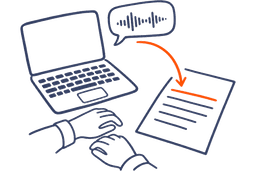
The short answer: don't try to speak finished sentences. Split the book into scenes or sections and talk through one per recording, the way you'd tell it to a friend. Let an app turn each recording into a clean draft, keep your original words beside it, and do the real writing when you edit on screen.
If you've tried this and given up, you probably tried to speak finished prose: chapter one, out loud, every comma in place. That's how Dragon, an older dictation program, worked. As Thomas Umstattd Jr. puts it, "You had to dictate the punctuation in addition to the words." Not anymore. Now the app puts the commas in.
Can you use voice to text to write a book?
Yes. Talking is quick: in one lab study, people entered short English messages on a phone 2.93 times faster by voice than with the keyboard. A book is a different job, though. Joanna Penn, who dictated a novel, put the trade-off plainly: "So the writing was faster but the editing was a lot harder."
Spoken drafts are messy. You repeat yourself, start a sentence three times and wander off, and a plain transcript keeps all of it. An app that hands back paragraphs drops the repeats and the false starts, so you edit something you can read.
There are two ways to do it, and they suit different days:
- Voice typing into the manuscript. Open the chapter in Google Docs, Word or Scrivener, put your cursor where the next passage goes, and talk. This fits days at the desk, when you're revising and know where the words belong.
- One voice note per scene. Record on your phone, on a walk or on the sofa, and get a clean draft back to paste in later. This fits the first draft, when you're still finding out what happens.
How to dictate a book, step by step
- Split the book into scenes or sections and write each one as a single line: what happens, or what the section has to prove. Each line is one recording, and it's the first thing you say when you press record.
- Talk the scene through. Out of order is fine. Don't stop to fix a sentence or to say punctuation. If you say something wrong, say it again the right way and keep going.
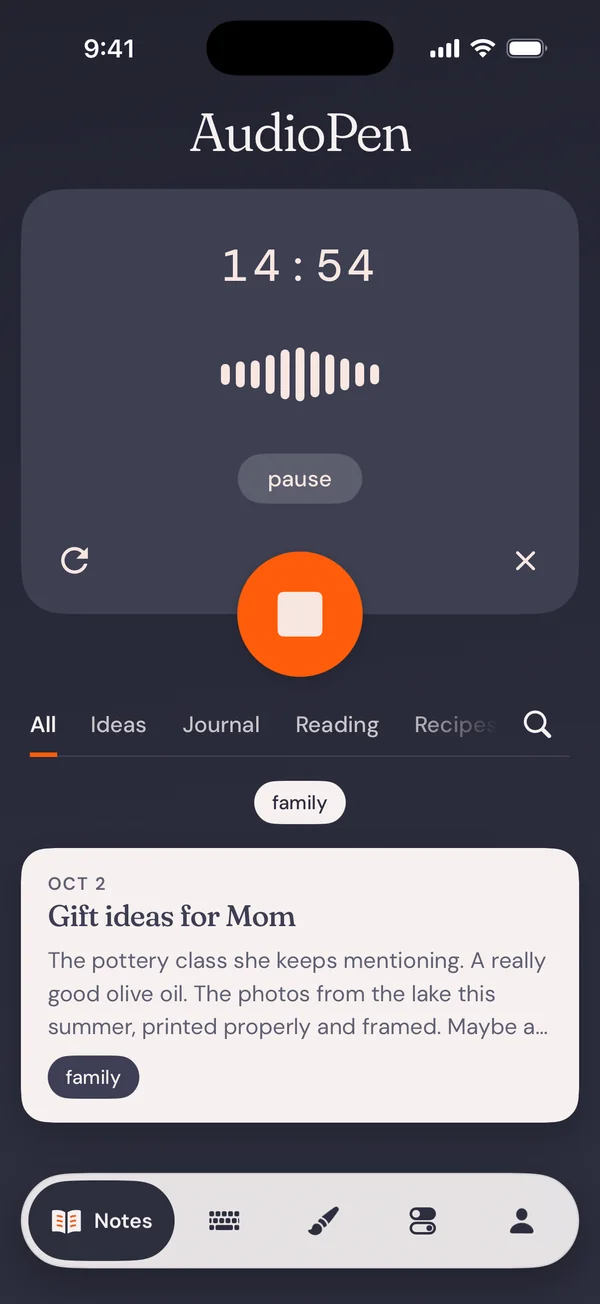
- Choose how much clean-up you want. In AudioPen, set Rewrite intensity to Low for fiction: you get your own words back with a light clean-up. For nonfiction, Medium keeps your structure and rewrites it in the writing style you picked.
- Read the draft next to what you said. Fix any name the app misheard. If the clean-up dropped a line you said, paste it back from the transcript.
- Paste each scene into your manuscript in Google Docs, Word or Scrivener, in story order. Run find and replace so every character's name is spelled the same way.
- Edit on screen a day or two later. The recordings get the story down. The edit is where it starts to read like a book.
Outline line Chapter 4, scene 2. Nell finds the letters in the piano bench.
What you said
Okay, scene two. Nell finds the letters. So she's, she's at the piano, no, she's clearing out the house, it's the week after the funeral, and she lifts the lid of the piano bench looking for, I don't know, sheet music, something to keep. And there's a bundle of letters in there, tied with that green ribbon from the bakery. Her father's handwriting. Actually, make it her mother's handwriting, that's better, because she always thought her mother never wrote to him. And she doesn't open them. She just sits down on the floor with them. Yeah. That's the end of the scene.
The clean draft
The week after the funeral, Nell was clearing out the house. She lifted the lid of the piano bench, looking for sheet music, something worth keeping. Inside was a bundle of letters tied with the green ribbon from the bakery. The handwriting was her mother's. She had always thought her mother never wrote to her father.
Nell didn't open them. She sat down on the floor with them.
An example written for this page: one scene, as spoken and as a clean draft.
How many recordings does it take to dictate a book?
Start with the length. Writer's Digest's 2016 guideline for an adult novel is 80,000 to 89,999 words, and memoir is the same. Call it 80,000.
Then find your own number. Record one scene and count the words in the clean draft. Divide 80,000 by that count, and you have your book in recordings.
Suppose a 15-minute recording gives you 1,000 words of draft. That's 80 recordings, or three a day for just under four weeks.
An 80,000-word book, in recordings
Each square is one recording. The words per recording are examples, not measurements.
How to dictate a novel, a nonfiction book or a memoir
What goes in one recording depends on the book.
A novel: one scene. Say who's in it, where they are and what changes, then play it through, dialogue included. Saying the dialogue out loud tells you quickly whether people talk like that.
A nonfiction book: one point. Write the point as a sentence before you record. Then explain it out loud: the claim, the example that proves it, the objection someone always raises, and your answer. That's a section.
Leave research out of the recording. Quotes, figures and citations go in at the desk, where you can check them. As you talk, say "number here" or "find the quote" and keep going. If you've given a talk on the subject, its recording can be a chapter's first draft: Prime takes audio file uploads.
A memoir: one memory per recording. Voice to text for memoirs covers that route in full. Start with the story you've told most often. You already know how it goes.
Can you use AI on a dictated book and publish it on Amazon?
Yes. Amazon's Kindle Direct Publishing asks about AI when you publish: "We require you to inform us of AI-generated content (text, images, or translations) when you publish a new book or make edits to and republish an existing book through KDP." It draws the line with two definitions. AI-generated:
If you used an AI-based tool to create the actual content (whether text, images, or translations), it is considered "AI-generated," even if you applied substantial edits afterwards.
And AI-assisted:
If you created the content yourself, and used AI-based tools to edit, refine, error-check, or otherwise improve that content (whether text or images), then it is considered "AI-assisted" and not "AI-generated."
The test in both is who created the content. When you talk a scene through and an app tidies your sentences, the scene and the words started with you. By KDP's wording that's AI-assisted, and "You are not required to disclose AI-assisted content." When a chatbot writes the chapter from a prompt, a tool created it, and that's AI-generated.
The Authors Guild's guidance for writers goes the same way: "Publicly disclose any substantial use of AI to generate text." Keep your transcripts as the record of what you said.
This is KDP's wording, not legal advice.
What to look for in the best app to dictate a book
Any dictation app can type a paragraph. A book needs these six things as well.
- A scene won't fit in a minute. Check how long one recording can run, and what happens when you pause to think. Mac Dictation stops after 30 seconds without speech. In AudioPen a recording runs up to 3 minutes on the free plan and up to 15 on Prime. On Prime you can add to an existing note when a scene runs over.
- Many recordings become one chapter. A chapter can be ten scenes recorded over a week. On Prime, SuperSummaries combine several notes into one.
- Your own words stay next to the draft. AudioPen keeps the original transcript beside the clean draft.
- The draft sounds like your book, not like the app. In AudioPen you can build a custom writing style from a few paragraphs of your own prose, and styles work on the free plan.
- An unpublished manuscript stays under your control. AudioPen never uses your notes to train AI. In the iPhone, Android, Mac and Windows apps you can turn on offline transcription, and then the audio never leaves your device. With cloud transcription, which the web app always uses, a note's audio is deleted within 48 hours. The clean-up runs in the cloud either way, and the note is saved to your account.
- The words land where the book lives. AudioPen's voice typing on Mac, Windows, iPhone and Android types at your cursor in Google Docs, Word, Scrivener or Notion. Notes copy into any of them, and on Prime they can sync to Notion or Obsidian.
AudioPen does both routes, notes and voice typing, on one account. AudioPen for writers shows how they fit together.