








How to choose a voice journal app
Some voice journal apps keep your recordings. Others turn them into entries you can read. How to tell them apart, and what to check before you pick one.
The short answer: there are two kinds of voice journal app. One keeps your recordings. The other turns what you said into a written entry. Unless you know you'll listen back, pick the second kind. A journal is something you reread, and text is what you'll actually reread.
Talking is the easy part. Any phone can record you. The hard part is what you have a month later: a folder of audio files with dates for names, or a stack of entries you can skim in a minute.
Audio journal app or voice to text journal app?
An audio journal app is a recorder with a calendar. Each day gets a recording, and to read your journal you play it back. The voice to text kind records you too, but what it keeps for you to read is text.
The trouble with audio is time. A five-minute entry takes five minutes to replay, and you can't skim it or search it. One writer who kept an audio diary for five years made about 200 recordings and has listened to a few of them.
If you're wondering whether talking counts as journaling, it does. In a 1994 study, 120 students either talked into a tape recorder, alone, or wrote, for 20 minutes a day over four days, some about a painful event and some about something trivial. Talking and writing produced similar emotional processing of the painful events, and by the last day both groups felt better about their topic and about themselves. A content analysis suggested the talkers showed more of their feelings. I've written more on why talking beats typing in my guide to brain dumps.
What makes a good voice to text journal app?
Six things to check in any app before you start a journal in it.
- It hands back a journal entry, not a transcript. A transcript keeps every "um" and every sentence you started twice. An entry reads like you sat down and wrote it.
- You can talk long enough. If an app stops you after a minute, you'll end up journaling in pieces.
- It's with you when the thought hits. That usually means your phone, and maybe your watch or your computer too.
- You know what happens to the recording. Does the audio leave your phone? How long is it kept? Can you keep it on the device?
- Your entries can go where you keep everything else, like Notion, Obsidian or a Google Doc, instead of living in one more app.
- It writes in the language you want. Plenty of people think out loud in one language and like to read their journal in another.
What should a voice journal entry look like?
Here's an example we wrote: a short spoken entry, the way it comes out.
Okay, so today was, um, kind of a lot. The meeting with Dana went fine actually, I was dreading it all week and it was fine. But then I snapped at Leo when I got home, which, I don't know, I think I was just tired. No, it was more than tired. I think I was still wound up from the week and he got the end of it. I should say sorry tomorrow. Also I didn't go for a run again, that's three days.
A transcript gives you all of that back, word for word. A journal entry reads like this:
Today was a lot. The meeting with Dana went fine, after a week of dreading it. Then I snapped at Leo when I got home. I told myself I was tired, but it was more than that: I was still wound up from the week, and he got the end of it. I'll apologize tomorrow. And I skipped my run again, three days now.
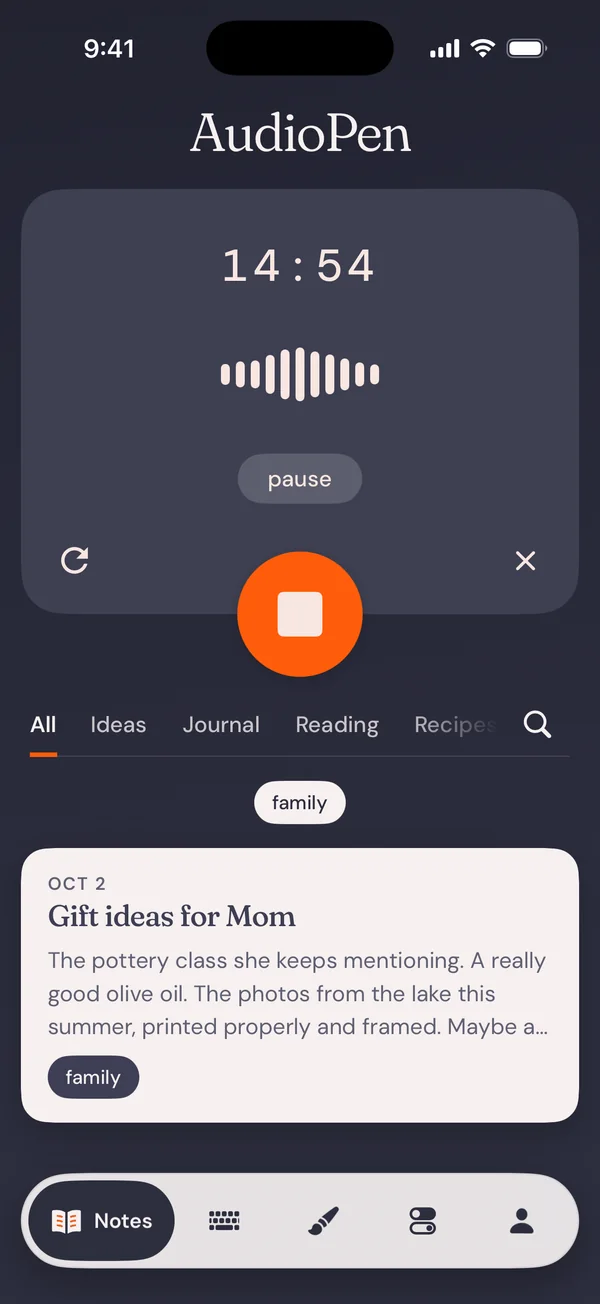
Same story, same person, minus the parts you'd skip. The second one is what you'd want to find six months from now, and it's the job AudioPen does. Kesler Woodward, an artist and art historian who journals with it, says it's "phenomenally able to turn my ragged thoughts into complete sentences accurately, in my own voice."
Is there a free voice to text journal app?
Yes. AudioPen has a free plan that writes the entry for you. Recordings can be up to 3 minutes, which is enough for most entries. The Journaling style works on the free plan, and so does every other built-in style. Signing up takes an email address and no credit card. With Prime, entries can run up to 15 minutes, and they can sync to Notion or Obsidian.
Your phone's keyboard is free too: open your notes or journal app and tap the microphone. It types what you say, as a plain transcript.
Can a voice journal app help you build a daily habit?
It helps when the app is the easiest thing in reach. A habit dies on the days you're too tired, and those are the days a keyboard feels like too much. Lizy Nguyen said it on Product Hunt: "I love using AudioPen for journaling, especially when my brain is too tired to type coherently."
And the thing in reach is usually your phone. Across all AudioPen notes, not only journal entries, three in four are made on a phone, and phone notes peak in the late morning: 9am to noon holds about a fifth of them. Very few are made between midnight and 6am. So if a bedtime entry keeps slipping, try one after breakfast or on your way somewhere. Mark Pereyra made AudioPen part of his morning walk around the park: "I've tried a ton of different ways to start my morning, but this has been the best."
A journal can help you think, but it isn't therapy. If you're carrying something heavy, talk to a person too.
Can a voice journal app find patterns in what you say?
Reading back a month of entries is the old way to find them, and it works. With Prime there are two faster ways. SuperSummaries combine several notes into one, so a week of entries can become one page. And the AudioPen connection for ChatGPT and Claude lets them read your notes, so you can ask what kept coming up this month and get an answer drawn from your own entries.
How do you keep a voice journal in AudioPen?
- Pick the Journaling style before you record, or write a style of your own.
- Talk, in the language you think in. AudioPen can write the entry in another. You can record from your phone, your Mac or Windows computer, the web, or your Apple Watch, which records into the iPhone app.
- Read the entry AudioPen writes, and fix a word if it misheard one.
- Send it to Notion or Obsidian, or anywhere Zapier reaches.
The Journaling style tells AudioPen to write your entry from your point of view, as the written version of how you were thinking, rather than as a summary or a list. If you'd rather it read differently, write your own style in a sentence or two.
Sending entries to other apps takes Prime. In Notion, add a calendar view by the date each note was created, and every day shows what you talked through. Entries can also land in Obsidian or, through Zapier, in a Google Doc. Avinash Mb used Zapier too: "Audiopen, with its Zapier integration, has helped me to replace the daily journal." His notes sync to a Notion folder.
In the iPhone and Android apps and on Mac and Windows, you can turn on offline transcription in settings, so the recording never leaves your device. When you transcribe in the cloud, the audio is deleted from AudioPen's servers within 48 hours, and your written entries are encrypted and never used to train AI.